Copy a move's exact ease in one click.
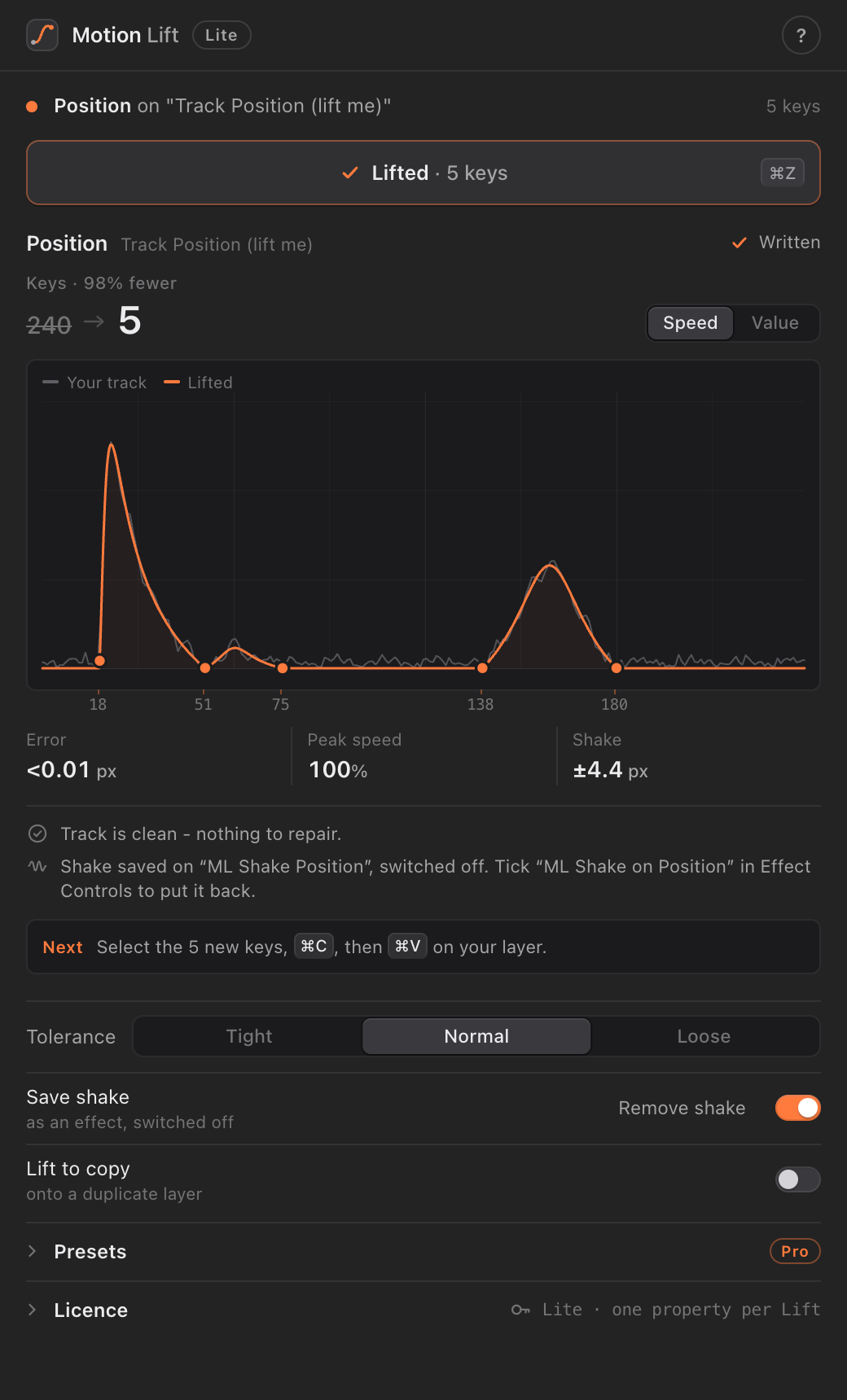
Track the move in your reference, select the tracked property, click Lift. Motion Lift replaces hundreds of tracked keyframes with a few clean ones whose speed curve matches the original, and keeps the handheld shake on a separate control.
One download for everyone: it runs as Lite until you enter a Pro key. After Effects 2022 or later, macOS.
How it works
Track the move
With After Effects' own tracker, Mocha AE or Motion Sketch, so the property has a key on every frame.
Click Lift
Motion Lift finds where each move starts and stops and fits Bezier eases to the reference's speed. One undo step.
Edit like your own keys
You get a few ordinary keyframes. The shake goes on an "ML Shake" effect, switched off, to keep or delete.
Lite and Pro
| Lite free | Pro $3 one-time | |
|---|---|---|
| Lift a tracked move into a few eased keys | One property at a time | Every selected property at once |
| Speed / value graph, error and peak speed | Yes | Yes |
| Shake split onto its own effect | Yes | Yes |
| Track for me (finds cuts, camera moves and moving things, adds keyed nulls) | Yes | Yes |
| Preset library: save a lifted ease, apply it anywhere | No | Yes |
Copy an ease as CSS cubic-bezier() | No | Yes |
| Updates | Yes, in the panel | Yes, in the panel |
Prices in US dollars; taxes are added at checkout where they apply. Checkout and receipts are handled by Lemon Squeezy, our reseller.
Install
1. Download
Get MotionLift-x.y.z.zxp from the latest release (Pro buyers also get it with their receipt).
2. Install the .zxp
With a free ZXP installer such as aescripts' ZXP Installer or Anastasiy's Extension Manager. Restart After Effects, then Window > Extensions > Motion Lift.
3. Pro: enter your key
Open Licence at the bottom of the panel, paste the key from your receipt email, click Activate.
Updates
The panel checks for a new version once a day and installs it when you click Install. Restart After Effects to finish.
Licence, privacy and refunds
Your licence
- One Pro licence is for one person, on up to 2 computers.
- To move it, click Deactivate in the panel on the old computer, then activate on the new one.
- After activating, Pro works offline for up to 14 days at a time; it renews itself when you're online.
- Please don't share your key or the installer files. Anyone can download Lite from this page.
What the panel sends
- When you activate or renew Pro: your licence key, a one-way hash of your computer's hardware id (not the id itself) and the Motion Lift version, to our licence server, which checks the key with Lemon Squeezy.
- Once a day: a request for the latest version number, from GitHub.
- Nothing else. Your footage, projects and keyframes never leave your computer, and there's no tracking or analytics.
Refunds
All sales are final. If your key won't activate or Pro doesn't work on your computer, email us and we'll sort it out.
Requirements
After Effects 2022 (22.0) or later on macOS. Windows: coming later. Track for me also needs the free tool
uv; the panel tells you how to get it.
Support
Questions, a key that won't activate, or a refund: Footy1x.ae@gmail.com. We usually answer within two days.